
Starting a blog in 2026 is easier than ever. Two of the most popular blogging platforms are Blogger and WordPress.
Both platforms help you create websites and publish articles, but they are very different in terms of customization, control, SEO, earning potential, and ease of use.
In this article, we will compare Blogger vs WordPress in detail so beginners can choose the best platform for their blogging journey.
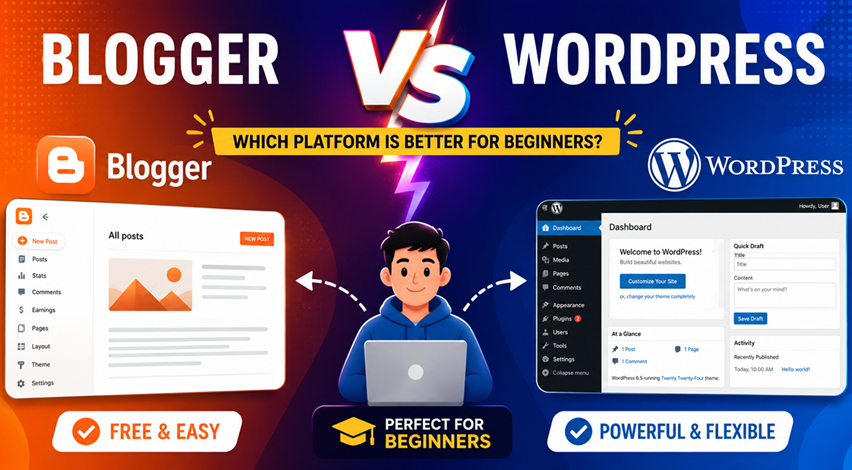
Table of Contents (Blogger vs WordPress)
- What is Blogger?
- What is WordPress?
- Comparison
- SEO
- Monetization
- Final Recommendation
What is Blogger?
Blogger is a free blogging platform owned by Google. It allows users to create blogs without purchasing hosting or managing servers.
With Blogger, you can:
- Create blogs for free
- Use a Blogspot subdomain
- Publish unlimited articles
- Connect custom domains
- Earn through Google AdSense
Example:
yourblog.blogspot.comYou can also connect a custom domain:
yourblog.comWhat is WordPress?
WordPress is the world’s most popular content management system (CMS). Millions of websites use WordPress because it offers powerful customization and flexibility.

With WordPress, you can:
- Build blogs and business websites
- Install themes and plugins
- Customize design fully
- Improve SEO deeply
- Create eCommerce stores
Here is the wordpress.org Website Url. You can follow this link to open site https://wordpress.org/
WordPress has two versions:
- WordPress.com, This for Hosted Version
- WordPress.org, This for self hosting Version
Blogger vs WordPress Comparison
1. Ease of Use
Blogger
Blogger is extremely beginner-friendly.
You only need:
- A Google account
- Blog name
- Theme selection
Your blog becomes live within minutes.
WordPress
WordPress setup requires:
- Domain purchase
- Hosting purchase
- Installation process
It is slightly more technical than Blogger.
| Feature | Blogger | WordPress |
|---|---|---|
| Platform Cost | Free | Free |
| Hosting | Free | Paid |
| Domain | Optional | Recommended |
| Themes | Mostly Free | Free + Paid |
| Plugins | Not Available | Thousands |
Blogger
You can start completely free.
WordPress
You need hosting and domain expenses.
Approximate yearly cost:
- Domain: ₹800–₹1200, Depending on selection
- Hosting: ₹2500–₹5000, Depending on selection
2. Customization
Blogger
Customization options are limited.
You can:
- Change layouts
- Edit templates
- Add gadgets

But advanced customization is difficult.
WordPress
WordPress offers unlimited customization.
You can:
- Install plugins
- Use page builders
- Create custom designs
- Add advanced features

3. Themes and Design
Blogger
Blogger has limited modern themes.
Many themes:
- Look outdated
- Have fewer features
- Require manual editing
WordPress
WordPress offers thousands of themes.
Popular theme providers:
- Astra
- GeneratePress
- OceanWP
You can build professional-looking websites without coding.
4. SEO (Search Engine Optimization)
SEO helps blogs rank higher on Google.
Blogger SEO
Blogger supports:
- Meta descriptions
- Custom permalinks
- Basic optimization
But advanced SEO control is limited.
WordPress SEO
WordPress provides advanced SEO features through plugins like:
- Rank Math
- Yoast SEO
You can optimize:
- Sitemaps
- Schema
- Internal links
- Speed
- Redirections
5. Speed and Performance
Blogger
Since Blogger is hosted by Google servers, websites are usually fast and stable.
WordPress
Performance depends on:
- Hosting quality
- Theme optimization
- Plugins
Good hosting makes WordPress extremely fast.
6. Security
Blogger
Google manages:
- Security
- Hosting
- Backups
- Spam protection
You do not need technical knowledge.
WordPress
You must manage:
- Security plugins
- Backups
- Updates
Without proper maintenance, WordPress sites can face issues.
7. Monetization
Blogger
You can earn through:
- Google AdSense
- Affiliate marketing
- Sponsored posts
WordPress
WordPress supports:
- AdSense
- Affiliate marketing
- Membership websites
- Online courses
- eCommerce stores
8. Ownership and Control
Blogger
Google owns the platform.
If policies are violated, blogs may face restrictions.
WordPress
With WordPress.org:
- You fully own your website
- You control files and database
- No platform restrictions
Which Platform Should You Choose (Blogger vs WordPress
Choose Blogger If:
- You are a complete beginner
- You want a free platform
- You do not want technical work
- You are learning blogging basics
Choose WordPress If:
- You want long-term blogging success
- You want better SEO
- You want advanced customization
- You plan to earn serious income
Best Recommendation for Beginners (Blogger or WordPress)
A smart strategy is:
Step 1
Start with Blogger for free.
Step 2
Learn:
- Content writing
- SEO basics
- Google Search Console
- AdSense
Step 3
Move to WordPress when:
- Traffic increases
- Income starts growing
- You need more features
This approach reduces risk and saves money.
FAQs (Blogger vs WordPress)
1. Is Blogger completely free?
Yes. Blogger is free to use, including hosting.
2. Can I earn money using Blogger?
Yes. Many bloggers earn using AdSense and affiliate marketing.
3. Is WordPress better for SEO?
Yes. WordPress provides advanced SEO tools and plugins.
4. Which platform is easier for beginners?
Blogger is easier because Google manages everything.
5. Can I migrate from Blogger to WordPress later?
Yes. You can move your content from Blogger to WordPress anytime.
Conclusion (Blogger vs WordPress)
Both Blogger and WordPress are excellent platforms, but the right choice depends on your goals.
- Blogger is perfect for beginners who want to start free.
- WordPress is ideal for serious blogging and long-term growth.
If you are just starting your blogging journey, Blogger is a great first step. Once your skills and traffic grow, WordPress can help you build a professional blogging business.